AI Video Editing
AI Video Editing in Premiere Pro: What Actually Works in 2026
A practical guide to AI editing in Premiere Pro: connectors, plugins, transcript-driven cuts, music-video assembly, event recaps, and the review each workflow needs.

Author

Video editor and creative director at AutoEdit. Plugin developer and Premiere Pro tutorial creator.
109 articles
AI Video Editing
A practical guide to AI editing in Premiere Pro: connectors, plugins, transcript-driven cuts, music-video assembly, event recaps, and the review each workflow needs.
Content Creator Editing
Follow the demonstrated Creator Mode workflow: silence cleanup, reviewable transcript decisions, approved cuts, and editable captions in Premiere Pro.
Music Video Editing
A music-video workflow based on the AutoEdit demonstration: organize the song, stack performance takes, synchronize, cut around the beat, and review the first pass.
Event Recap Editing
Follow the demonstrated event-recap workflow: prepare music, interviews and B-roll, review suggested quotes, assemble a rough cut, then refine story and sound.
Claude Motion Review for Premiere Pro Editors
AI-assisted workflows inside Premiere ProComparisons
The Claude Motion review tests prompt-based animation, reference images, revisions, and MP4 export. It finds useful custom-animation potential while favoring ready-made Premiere Pro templates for routine graphics under tight deadlines.
20+ free Premiere Pro presets for event recap videos
AI-assisted workflows inside Premiere ProEvent Recap Editing
Free event-recap transitions, film burns, camera effects, mixed-media graphics, titles, and sound design—plus a practical AI rough-cut walkthrough.
How to automatically edit a music video with AI in Premiere Pro
AI-assisted workflows inside Premiere ProMusic Video Editing
A step-by-step guide to syncing performance takes, detecting BPM, cutting to the beat, placing B-roll, and generating an editable music-video first cut.
How to put animated text behind a person in Premiere Pro
AI-assisted workflows inside Premiere ProTutorials
Use Premiere Pro object masking, nested layers, and free motion-graphics templates to place animated text and icons behind a subject.
AutoEdit vs FireCut: which Premiere Pro AI plugin is better?
AI-assisted workflows inside Premiere ProComparisons
A same-footage comparison of silence removal, repeated-take cleanup, editable AI first cuts, captions, free tools, and day-to-day Premiere Pro fit.
How to paste an image from your clipboard into Premiere Pro
AI-assisted workflows inside Premiere ProFree Tools
Copy a browser image, read it from the clipboard, and add it at the Premiere Pro playhead without the usual download-and-import loop.
AutoEdit Creator Mode vs Music Video Mode: which plugin should you use?
AI-assisted workflows inside Premiere ProComparisons
A practical comparison of AutoEdit’s spoken-content and music-video plugins, based on the footage each one is built to edit.
85+ free Premiere Pro presets for YouTube video editors
AI-assisted workflows inside Premiere ProYouTube Editing
Free customizable motion graphics, titles, overlays, captions, silence removal, Claude-assisted first cuts, clip finding, and vertical reframing.
25+ free music video presets for Premiere Pro
AI-assisted workflows inside Premiere ProMusic Video Editing
Import and combine free flashes, thermal looks, chroma blur, warp effects, and subject cutouts, then pair them with a beat-synced first cut.
101 free Premiere Pro presets and templates inside AutoEdit
AI-assisted workflows inside Premiere ProFree Tools
A guide to the free motion graphics, text animations, overlays, B-roll library, sound assets, Silence Cutter, and optional Claude first-cut feature.
13 Best AutoEdit Alternatives and AI Video Editors Ranked for 2026
AI-assisted workflows inside Premiere ProComparisons
A practical tier list of Premiere Pro plugins, browser editors, clipping tools, and AI video workspaces—with direct links to every full comparison.
AutoEdit vs FireCut: Which AI Video Editing Workflow Fits You?
AI-assisted workflows inside Premiere ProComparisons
A source-checked comparison of AutoEdit and FireCut for professional video editors, YouTube teams, and creators choosing an AI editing workflow in 2026.
AutoEdit vs Submagic: Which AI Video Editing Workflow Fits You?
AI-assisted workflows inside Premiere ProComparisons
A source-checked comparison of AutoEdit and Submagic for professional video editors, YouTube teams, and creators choosing an AI editing workflow in 2026.
Comparisons
A source-checked comparison of AutoEdit and OpusClip for professional video editors, YouTube teams, and creators choosing an AI editing workflow in 2026.
AutoEdit vs Brevidy: Which AI Video Editing Workflow Fits You?
AI-assisted workflows inside Premiere ProComparisons
A source-checked comparison of AutoEdit and Brevidy for professional video editors, YouTube teams, and creators choosing an AI editing workflow in 2026.
AutoEdit vs AutoPod: Which AI Video Editing Workflow Fits You?
AI-assisted workflows inside Premiere ProComparisons
A source-checked comparison of AutoEdit and AutoPod for professional video editors, YouTube teams, and creators choosing an AI editing workflow in 2026.
AutoEdit vs AutoCut: Which AI Video Editing Workflow Fits You?
AI-assisted workflows inside Premiere ProComparisons
A source-checked comparison of AutoEdit and AutoCut for professional video editors, YouTube teams, and creators choosing an AI editing workflow in 2026.
Comparisons
A source-checked comparison of AutoEdit and Descript for professional video editors, YouTube teams, and creators choosing an AI editing workflow in 2026.
Comparisons
A source-checked comparison of AutoEdit and CapCut for professional video editors, YouTube teams, and creators choosing an AI editing workflow in 2026.
AutoEdit vs VEED: Which AI Video Editing Workflow Fits You?
AI-assisted workflows inside Premiere ProComparisons
A source-checked comparison of AutoEdit and VEED for professional video editors, YouTube teams, and creators choosing an AI editing workflow in 2026.
AutoEdit vs Captions: Which AI Video Editing Workflow Fits You?
AI-assisted workflows inside Premiere ProComparisons
A source-checked comparison of AutoEdit and Captions for professional video editors, YouTube teams, and creators choosing an AI editing workflow in 2026.
AutoEdit vs Gling: Which AI Video Editing Workflow Fits You?
AI-assisted workflows inside Premiere ProComparisons
A source-checked comparison of AutoEdit and Gling for professional video editors, YouTube teams, and creators choosing an AI editing workflow in 2026.
AutoEdit vs Wisecut: Which AI Video Editing Workflow Fits You?
AI-assisted workflows inside Premiere ProComparisons
A source-checked comparison of AutoEdit and Wisecut for professional video editors, YouTube teams, and creators choosing an AI editing workflow in 2026.
AutoEdit vs Claap: Which AI Video Editing Workflow Fits You?
AI-assisted workflows inside Premiere ProComparisons
A source-checked comparison of AutoEdit and Claap for professional video editors, YouTube teams, and creators choosing an AI editing workflow in 2026.
Best free Premiere Pro plugins for video editors who work for YouTube creators
AI-assisted workflows inside Premiere ProFree Tools
A useful free-plugin tier list for editors cutting long-form YouTube videos, Shorts, podcasts, interviews, tutorials, and creator content.
Best AI and paid Premiere Pro plugins for editors who cut YouTube videos
AI-assisted workflows inside Premiere ProComparisons
Paid Premiere Pro tools for editors handling talking heads, creator podcasts, multicamera interviews, reusable graphics, and high-energy YouTube cuts.
Best Premiere Pro plugins for freelance video editors
AI-assisted workflows inside Premiere ProComparisons
A client-work tier list for freelance editors cutting talking heads, music videos, ads, podcasts, multicamera interviews, and social deliverables.
Best Premiere Pro plugins for content marketers and in-house editors
AI-assisted workflows inside Premiere ProComparisons
A tier list for marketers turning one shoot into YouTube videos, paid ads, Reels, TikToks, explainers, interviews, and campaign cutdowns.
Best Premiere Pro plugins for production agency editors
AI-assisted workflows inside Premiere ProComparisons
A client-production tier list for agency editors working across interviews, multicam footage, branded social, event clips, ads, and fast revisions.
Content Demand Statistics 2026: Why Video Output Keeps Rising
AI-assisted workflows inside Premiere ProIndustry Research
Source-backed 2026 content-demand statistics for editors, YouTubers, creators, and the teams producing more video with limited time.
AI ROI in Content Production: 2026 Statistics and a Reality Check
AI-assisted workflows inside Premiere ProIndustry Research
A source-first look at AI adoption, reported cost savings, and what editors should measure before calling an editing tool a win.
Film and Video Editing Demand in 2026: Jobs, Pay, and Production Pressure
AI-assisted workflows inside Premiere ProIndustry Research
Current U.S. job, pay, and openings data for film and video editors, explained without turning labor statistics into hype.
Build a B-Roll Library Inside Premiere Pro
AI-assisted workflows inside Premiere ProTutorials
Save reusable B-roll and overlays inside AutoEdit so you can add them without another Finder search.
How to Remove Silence in Premiere Pro With a Free Plugin
AI-assisted workflows inside Premiere ProTutorials
Use AutoEdit Silence Cutter for an editable first pass on pauses before you start the detailed cut.
How to Add Animated Captions in Premiere Pro With AutoEdit
AI-assisted workflows inside Premiere ProTutorials
Generate creator-style captions inside Premiere Pro, then correct the text and adjust the styling before export.
How to Fix Bad Talking-Head Audio in Premiere Pro
AI-assisted workflows inside Premiere ProTutorials
Clean up a rough talking-head recording inside Premiere Pro, then listen for artifacts before using it in the final mix.
How to Auto Reframe Video in Premiere Pro for Reels and Shorts
AI-assisted workflows inside Premiere ProFree Tools
Turn a horizontal edit into a vertical starting point with Auto Reframe, then check every shot and graphic by hand.
Free Motion Graphics and Premiere Pro Presets for Reels
AI-assisted workflows inside Premiere ProFree Tools
Start Reels with reusable captions, text animations, motion graphics, and presets, then change the timing and styling for the footage.
AutoEdit Fast B-Roll vs Finder: Which Is Faster for Reused Assets?
AI-assisted workflows inside Premiere ProComparisons
Finder is flexible for every project file; B-roll Library is quicker for a small set of clips and overlays you reuse constantly.
Premiere Gal Tests AutoEdit Creator Mode: What Her Review Shows
AI-assisted workflows inside Premiere ProComparisons
A close reading of Premiere Gal’s hands-on AutoEdit test: where the rough cut helped, what it missed, and why review still matters.
Free AutoEdit Tools vs Paid Creator Mode: What Do You Actually Need?
AI-assisted workflows inside Premiere ProComparisons
Choose between focused free Premiere Pro utilities and Claude-powered transcript editing based on the job in front of you.
Fast B-Roll Library vs AI B-Roll Placement in Premiere Pro
AI-assisted workflows inside Premiere ProComparisons
One retrieves saved assets; the other tries to match visuals to spoken meaning. They solve different editing problems.
Silence Cutter vs Claude Rough Cuts in Premiere Pro
AI-assisted workflows inside Premiere ProComparisons
Compare pause detection with transcript reasoning so you use the right AutoEdit tool for the right talking-head problem.
AutoEdit Free Premiere Pro Tools Compared: Which One Should You Use?
AI-assisted workflows inside Premiere ProComparisons
A job-by-job comparison of Silence Cutter, Auto Reframe, B-roll Library, Music Library, image placement, and free motion graphics.
Video Editing Statistics for 2026: Jobs, Pay, AI, and Demand
AI-assisted workflows inside Premiere ProIndustry Research
Current video editing statistics from U.S. labor data, creator-economy research, and marketing surveys, with every figure tied to its original source.
YouTube Creator Statistics for 2026: Revenue, Jobs, and Video Output
AI-assisted workflows inside Premiere ProIndustry Research
A source-first collection of YouTube creator statistics covering economic impact, creator payments, jobs, and what the numbers mean for editors.
Content Creator Statistics for 2026: Video, AI, and Creator Businesses
AI-assisted workflows inside Premiere ProIndustry Research
Current content creator statistics for writers and marketers, including source dates, survey limits, video use, AI editing, and creator-business impact.
Short-Form Video Statistics for 2026: Reels, TikTok, and Shorts
AI-assisted workflows inside Premiere ProIndustry Research
Current short-form video statistics for Reels, TikTok, and YouTube Shorts, with clear survey labels and practical notes for editors.
Video Marketing Statistics for 2026: Usage, ROI, and AI Editing
AI-assisted workflows inside Premiere ProIndustry Research
A current video marketing statistics page covering short-form use, reported ROI, AI editing, and the limits writers should include when citing each number.
Blogging and Video Statistics for 2026: What Content Teams Should Cite
AI-assisted workflows inside Premiere ProIndustry Research
A source guide for bloggers adding video statistics to articles, including current creator-economy, short-form, AI editing, jobs, and pay figures.
Premiere Pro AI vs Claude in Premiere Pro: Which Jobs Fit Each?
AI-assisted workflows inside Premiere ProComparisons
Compare native Premiere Pro AI with a Claude Premiere Pro plugin for transcript decisions, automatic edits, media search, reframing, and final control.
Adobe Text-Based Editing vs AutoEdit Creator Mode
AI-assisted workflows inside Premiere ProComparisons
A direct comparison of Premiere Pro Text-Based Editing and AutoEdit Creator Mode for pauses, filler words, repeated takes, captions, and rough cuts.
Automatic Video Editor vs AI Video Generator: Do Not Buy the Wrong Tool
AI-assisted workflows inside Premiere ProComparisons
Learn the difference between automatic editing of real footage and generative AI video before choosing a tool for a Premiere Pro project.
Premiere Pro vs CapCut for Reels and TikTok Editing
AI-assisted workflows inside Premiere ProComparisons
Compare Premiere Pro and CapCut for Reels, TikTok videos, captions, presets, desktop control, quick posts, and repeatable creator edits.
Premiere Pro vs DaVinci Resolve for AI-Assisted Editing
AI-assisted workflows inside Premiere ProComparisons
Compare Premiere Pro and DaVinci Resolve for AI-assisted editing, transcript tools, captions, audio, color, plugins, and automatic rough cuts.
Free Premiere Pro Presets vs Paid AI Plugins
AI-assisted workflows inside Premiere ProComparisons
Compare free Premiere Pro presets with paid AI editing plugins for captions, effects, repetitive cuts, rough drafts, and real time saved.
AI Beat Editing vs Manual Beat Markers in Premiere Pro
AI-assisted workflows inside Premiere ProComparisons
Compare AI beat editing with manual beat markers for music videos, performance takes, B-roll, pacing changes, and editable Premiere Pro cuts.
Automatic B-Roll Editing vs Placing Every Clip by Hand
AI-assisted workflows inside Premiere ProComparisons
Compare automatic B-roll editing with manual placement in Premiere Pro for footage search, transcript context, timing, shot choice, and corrections.
Premiere Pro Caption Tools vs Caption Plugins: What Editors Actually Need
AI-assisted workflows inside Premiere ProComparisons
Compare native Premiere Pro captions with caption plugins and template packs for transcription, translation, styling, animation, and repeat creator work.
6 Free Premiere Pro Plugins That Actually Save Editors Time
AI-assisted workflows inside Premiere ProFree Tools
A practical breakdown of six free Premiere Pro plugins for rough cuts, presets, transitions, split screens, copy-and-paste workflows, and utility effects.
How to Edit Videos Faster in Premiere Pro in 2026
AI-assisted workflows inside Premiere ProPremiere Pro Workflows
Practical Premiere Pro editing tips for getting from raw footage to a clean first draft faster with transcripts, proxies, shortcuts, native AI, and Creator Mode.
How to Edit Your Own Music Video in Premiere Pro With AI
AI-assisted workflows inside Premiere ProMusic Video Editing
A step-by-step music video editing tutorial for independent artists working with a song, performance takes, B-roll, beat cuts, effects, and an editable Premiere Pro rough cut.
How to Remove Silence, Pauses, and Filler Words in Premiere Pro
AI-assisted workflows inside Premiere ProContent Creator Editing
A direct guide to cutting dead air, pauses, filler words, repeated takes, and restarts in Premiere Pro without damaging the speaker’s timing.
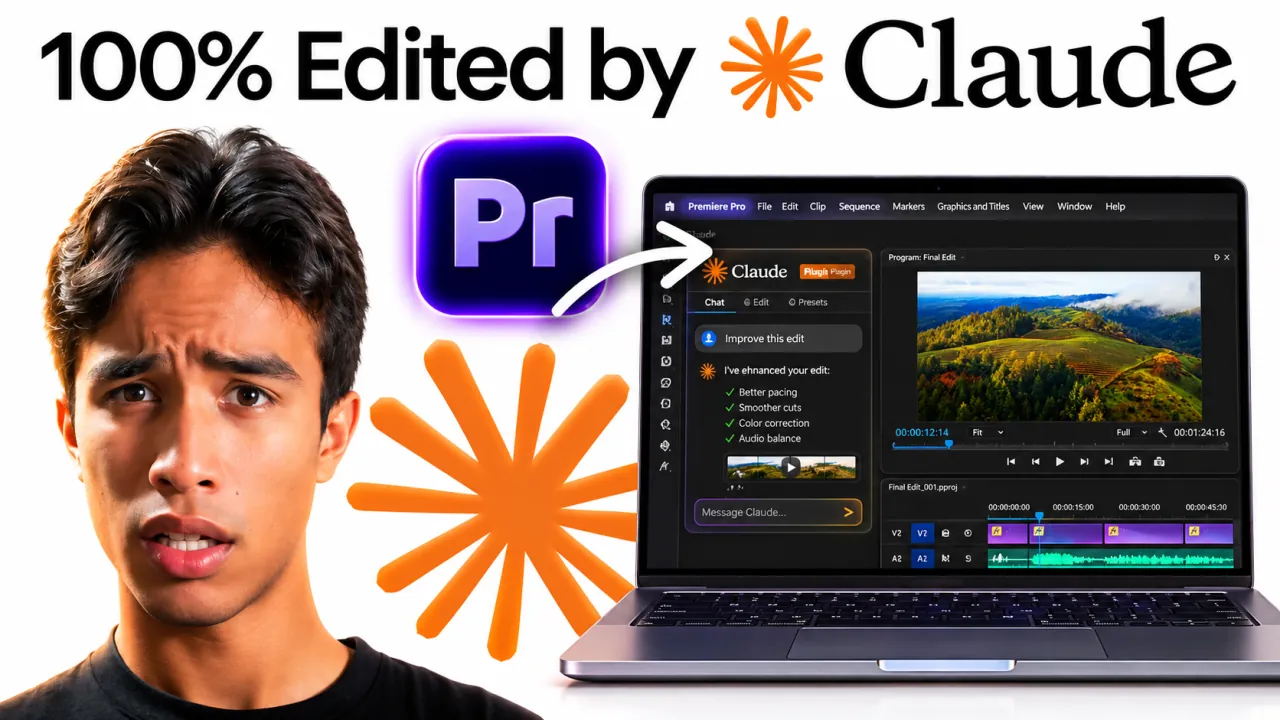
Tutorials
A straight Premiere Pro guide for editors who want to use Claude to analyze spoken footage and build a reviewable Premiere Pro rough cut, with the actual plugin, timeline, and cuts explained in plain English.
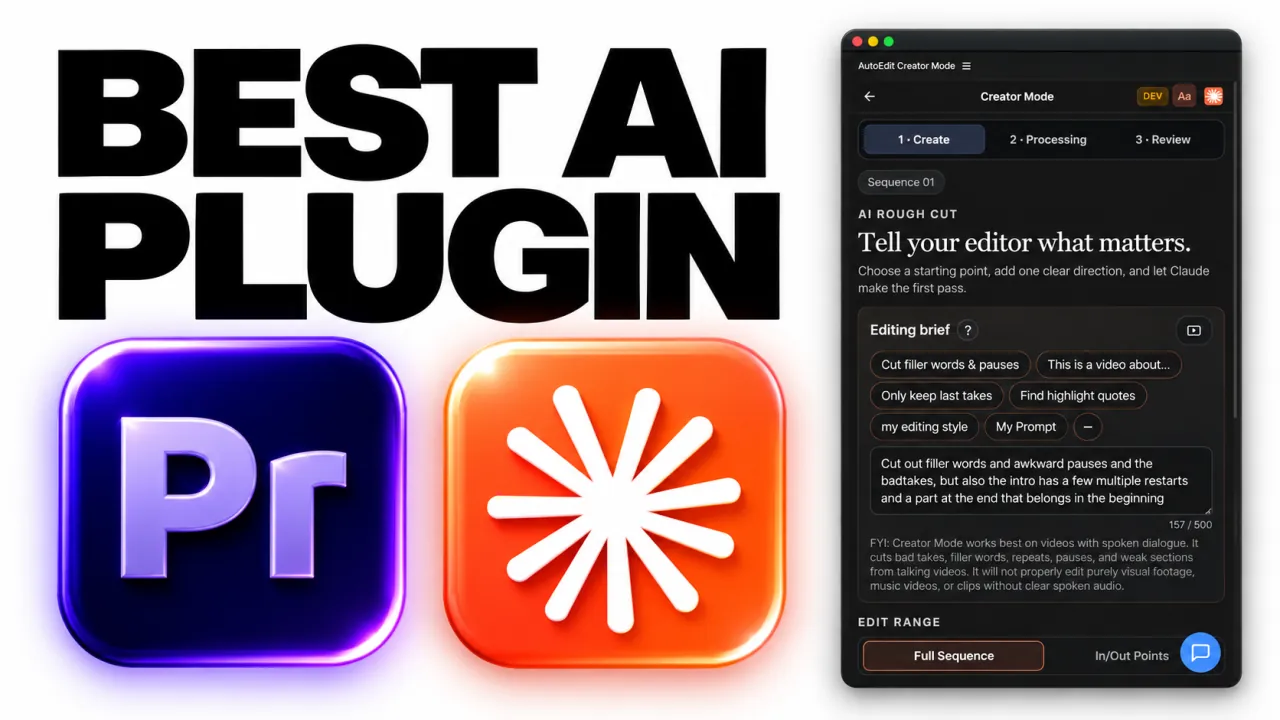
AI Video Editing
A straight Premiere Pro guide for editors who want to choose a Claude-based Premiere Pro plugin for real transcript-led editing, with the actual plugin, timeline, and cuts explained in plain English.
Tutorials
A straight Premiere Pro guide for editors who want to connect Claude analysis to an active Premiere Pro editing workflow, with the actual plugin, timeline, and cuts explained in plain English.
AI Video Editing
A straight Premiere Pro guide for editors who want to understand whether Claude can make real timeline edits instead of only discussing them, with the actual plugin, timeline, and cuts explained in plain English.
AI Video Editing
A straight Premiere Pro guide for editors who want to evaluate the practical editing tasks Claude can assist with in Premiere Pro, with the actual plugin, timeline, and cuts explained in plain English.
Premiere Pro AI Editing Plugins for Rough Cuts
AI-assisted workflows inside Premiere ProPremiere Pro
A straight Premiere Pro guide for editors who want to choose an AI plugin that automates editing existing footage inside Premiere Pro, with the actual plugin, timeline, and cuts explained in plain English.
From Raw Footage to a Rough Cut With AI in Premiere Pro
AI-assisted workflows inside Premiere ProTutorials
A straight Premiere Pro guide for editors who want to move from raw spoken footage to an editable first rough cut inside Premiere Pro, with the actual plugin, timeline, and cuts explained in plain English.
Automatic Video Editors That Keep You in Premiere Pro
AI-assisted workflows inside Premiere ProAI Video Editing
A straight Premiere Pro guide for editors who want to choose an automatic editor that works with a Premiere Pro timeline, with the actual plugin, timeline, and cuts explained in plain English.
AI Auto Video Editors vs Generators: A Premiere Pro Guide
AI-assisted workflows inside Premiere ProAI Video Editing
A straight Premiere Pro guide for editors who want to compare AI categories and choose timeline automation for existing Premiere Pro footage, with the actual plugin, timeline, and cuts explained in plain English.
Auto Cut Tools in Premiere Pro: Silence, Reframe, and Claude
AI-assisted workflows inside Premiere ProPremiere Pro
A straight Premiere Pro guide for editors who want to choose the right Premiere Pro tool for repetitive cuts, reframing, or transcript-led automation, with the actual plugin, timeline, and cuts explained in plain English.
How to Remove Silences From Talking-Head Videos in Premiere Pro
AI-assisted workflows inside Premiere ProContent Creator Editing
A straight Premiere Pro tutorial for weekly talking-head creators dealing with long pauses and dead air, with the exact setup, what the plugin does, and what you still need to check.
How to Cut Filler Words and Repeated Takes With Claude in Premiere Pro
AI-assisted workflows inside Premiere ProAI Video Editing
A straight Premiere Pro tutorial for educational YouTube creators dealing with filler words, restarts, and repeated lines, with the exact setup, what the plugin does, and what you still need to check.
Claude Prompt Workflow for Cleaning Tutorial Videos in Premiere Pro
AI-assisted workflows inside Premiere ProTutorials
A straight Premiere Pro tutorial for software tutorial channels dealing with rambling explanations and duplicate demonstrations, with the exact setup, what the plugin does, and what you still need to check.
How to Edit a Two-Person Video Podcast Automatically in Premiere Pro
AI-assisted workflows inside Premiere ProPodcast Editing
A straight Premiere Pro tutorial for two-host studio podcasts dealing with manual speaker-by-speaker camera switching, with the exact setup, what the plugin does, and what you still need to check.
How to Prepare Podcast Audio Tracks for Automatic Camera Switching
AI-assisted workflows inside Premiere ProPodcast Editing
A straight Premiere Pro tutorial for remote interview podcast editors dealing with mixed or incorrectly linked speaker audio, with the exact setup, what the plugin does, and what you still need to check.
How to Review AI Camera Cuts in a Multicamera Podcast
AI-assisted workflows inside Premiere ProPodcast Editing
A straight Premiere Pro tutorial for interview podcast post-production teams dealing with camera cuts that follow the speaker but miss good reactions, with the exact setup, what the plugin does, and what you still need to check.
How to Make Animated Word-by-Word Captions in Premiere Pro
AI-assisted workflows inside Premiere ProContent Creator Editing
A straight Premiere Pro tutorial for short-form educational creators dealing with static captions that are hard to follow on mobile, with the exact setup, what the plugin does, and what you still need to check.
How to Build Readable 9:16 Reel Captions in Premiere Pro
AI-assisted workflows inside Premiere ProContent Creator Editing
A straight Premiere Pro tutorial for Instagram Reels editors dealing with captions colliding with mobile interface overlays, with the exact setup, what the plugin does, and what you still need to check.
How to Create Serif Creator Captions With Karaoke Highlighting
AI-assisted workflows inside Premiere ProTutorials
A straight Premiere Pro tutorial for lifestyle and personal-brand Reels dealing with generic caption templates that do not match the creator brand, with the exact setup, what the plugin does, and what you still need to check.
How to Save a Reusable Caption Style for Weekly Shorts
AI-assisted workflows inside Premiere ProContent Creator Editing
A straight Premiere Pro tutorial for creators publishing three or more Shorts each week dealing with rebuilding the same caption design for every upload, with the exact setup, what the plugin does, and what you still need to check.
How to Clean Echoey Talking-Head Audio Inside Premiere Pro
AI-assisted workflows inside Premiere ProContent Creator Editing
A straight Premiere Pro tutorial for home-office YouTube creators dealing with room echo and inconsistent spoken audio, with the exact setup, what the plugin does, and what you still need to check.
How to Compare AI Audio Cleanup Without Being Fooled by Loudness
AI-assisted workflows inside Premiere ProTutorials
A straight Premiere Pro tutorial for course creators recording in untreated rooms dealing with before-and-after audio comparisons with mismatched volume, with the exact setup, what the plugin does, and what you still need to check.
How to Edit a Solo Video Podcast With Silence Removal and Captions
AI-assisted workflows inside Premiere ProPodcast Editing
A straight Premiere Pro tutorial for solo business podcast hosts dealing with long pauses plus a separate caption pass, with the exact setup, what the plugin does, and what you still need to check.
How to Edit UGC Product Videos With a Transcript-First Workflow
AI-assisted workflows inside Premiere ProContent Creator Editing
A straight Premiere Pro tutorial for UGC creators delivering product ads dealing with multiple hook takes and repeated product claims, with the exact setup, what the plugin does, and what you still need to check.
How to Edit Gaming Commentary With Facecam in Premiere Pro
AI-assisted workflows inside Premiere ProYouTube Editing
A straight Premiere Pro tutorial for gaming creators with facecam commentary dealing with dead air and repeated commentary across layered footage, with the exact setup, what the plugin does, and what you still need to check.
How to Edit Reaction Videos Without Breaking Overlay Sync
AI-assisted workflows inside Premiere ProYouTube Editing
A straight Premiere Pro tutorial for reaction channels using picture-in-picture layouts dealing with dialogue cuts that desynchronize the reacted-to clip, with the exact setup, what the plugin does, and what you still need to check.
How to Edit Course Lessons Faster Without Removing Key Steps
AI-assisted workflows inside Premiere ProContent Creator Editing
A straight Premiere Pro tutorial for online course instructors dealing with restarts and pauses mixed with required teaching steps, with the exact setup, what the plugin does, and what you still need to check.
How to Turn a Long Talking-Head Video Into a Tight LinkedIn Clip
AI-assisted workflows inside Premiere ProContent Creator Editing
A straight Premiere Pro tutorial for B2B founders posting LinkedIn video dealing with slow setup and repeated business talking points, with the exact setup, what the plugin does, and what you still need to check.
How to Cut Reels to Music Without Losing Spoken Clarity
AI-assisted workflows inside Premiere ProContent Creator Editing
A straight Premiere Pro tutorial for fitness and lifestyle Reel creators dealing with beat-driven cuts competing with spoken delivery, with the exact setup, what the plugin does, and what you still need to check.
How to Use Motion Graphics After a Claude Rough Cut
AI-assisted workflows inside Premiere ProPremiere Pro Workflows
A straight Premiere Pro tutorial for YouTube editors adding callouts and emphasis graphics dealing with graphics being placed before the edit timing is stable, with the exact setup, what the plugin does, and what you still need to check.
How to Edit a Vlog With Multiple Clips and Overlays Using AI
AI-assisted workflows inside Premiere ProYouTube Editing
A straight Premiere Pro tutorial for weekly lifestyle vlog editors dealing with dialogue cleanup spread across B-roll and overlay tracks, with the exact setup, what the plugin does, and what you still need to check.
Does AutoEdit Creator Mode Support Albanian, Korean, Farsi, or Spanish?
AI-assisted workflows inside Premiere ProAI Video Editing
A straight Premiere Pro tutorial for multilingual talking-head creators dealing with uncertain transcription support outside English, with the exact setup, what the plugin does, and what you still need to check.
How to Test AutoEdit Creator Mode on a MacBook Air M1
AI-assisted workflows inside Premiere ProPremiere Pro Workflows
A straight Premiere Pro tutorial for solo creators editing on Apple silicon laptops dealing with an extension that does not appear or open as expected, with the exact setup, what the plugin does, and what you still need to check.
How to Process a One-Hour 8K Talking-Head Edit Without Wasting Time
AI-assisted workflows inside Premiere ProPremiere Pro Workflows
A straight Premiere Pro tutorial for long-form interview editors working with 8K media dealing with large media and long cloud-processing waits, with the exact setup, what the plugin does, and what you still need to check.
Can AutoEdit Color Grade Talking-Head Videos?
AI-assisted workflows inside Premiere ProAI Video Editing
A straight Premiere Pro tutorial for creators expecting one-click finishing dealing with confusing rough-cut automation with final color work, with the exact setup, what the plugin does, and what you still need to check.
How to Edit Dialogue-Free B-Roll Videos With AutoEdit
AI-assisted workflows inside Premiere ProPremiere Pro Workflows
A straight Premiere Pro tutorial for product and travel montage editors dealing with using transcript tools on footage with no dialogue, with the exact setup, what the plugin does, and what you still need to check.
AutoEdit vs AutoCut vs FireCut vs AutoPod (2026 Comparison)
AI-assisted workflows inside Premiere ProComparisons
Which Premiere Pro AI plugin is actually worth paying for? A feature, workflow, and pricing comparison of AutoEdit, AutoCut, FireCut, and AutoPod.
The Ultimate List of Premiere Pro & After Effects Plugins (50+): The State of AI in Video Editing & Post-Production
AI-assisted workflows inside Premiere ProPremiere Pro
Eighty Premiere Pro and After Effects plugins, panels, and companion apps with host, pricing model, pros, cons, and where AI editing is heading in 2026.
Best AI Tools for Video Editors in 2026
AI-assisted workflows inside Premiere ProAI Video Editing
An analytical comparison of the leading AI tools for editing, captions, voice, motion graphics, sound design, color, images, music, sound effects, and transcription.
10 Cinematic Music Video Editing Tips That Serve the Song
AI-assisted workflows inside Premiere ProMusic Video Editing
Ten practical music video editing tips for song structure, performance coverage, rhythm, lighting, visual effects, and a stronger Premiere Pro finish.
10 Short-Form Video Editing Tips for Reels, TikTok, and Shorts
AI-assisted workflows inside Premiere ProContent Creator Editing
Ten actionable tips for editing short-form videos in Premiere Pro: stronger hooks, clean rough cuts, readable captions, vertical framing, and repeatable presets.
Best YouTube Channels for Premiere Pro Tutorials
AI-assisted workflows inside Premiere ProPremiere Pro
A practical shortlist of Premiere Pro tutorial channels for editing fundamentals, creative effects, creator workflows, and official Adobe guidance.