
Premiere Gal
 646K+ Subscribers · YouTube
An AI plugin for Premiere Pro


Record the video. Open Premiere Pro. Tell Claude what you want cut. AutoEdit removes silences, filler words, repeated takes, and builds your first rough cut, so you can spend your time finishing the edit instead of starting it.



Trusted by 15,000+ editors worldwide
“If I could leave 10 stars I would. Great customer service. Love that this was created to help creators lighten their workload. Customer service 10 out of 10.”
 Weoutside
 Trustpilot|4.67/5• 100+ reviews
Independent creators put AutoEdit through real Premiere Pro workflows.
646K+ Subscribers · YouTube 37.9K Subscribers · YouTube
 1.63K Subscribers · YouTube
 Premiere Pro Creator · YouTube
 Content Creator · YouTube
 Content Creator · YouTube
 17K Subscribers · YouTube
 39K Subscribers · YouTube
 12.2K Subscribers · YouTube
 25K Followers · Instagram
 View post
 304K Followers · Instagram
 View post
Trusted by top brands


Caption presets

Automatically remove silences, filler words, and bad takes. Add captions and create polished first drafts directly inside Premiere Pro using Claude-powered AI.

AI detects active speakers and automatically switches camera angles for multicam podcasts inside Premiere Pro.

Turn one edit into vertical videos without manually keyframing every shot.
 Reviews verified by Trustpilot
Claude-powered AI editing directly inside Premiere Pro.
Record your video, open Premiere Pro, and let AutoEdit handle the repetitive first pass. Remove silences, filler words, repeated takes, and weak attempts to start with a clean rough cut in minutes.
What AutoEdit saves you from
Everything included
Start with Creator Mode, or see the add-on modes you can unlock inside the plugin.
 Claude-powered AI editing for creators publishing every week.
 Works inside Premiere ProNo exporting. No web uploading. No new workflow.
AutoEdit isn't here to replace your editing
It's here to remove the repetitive first pass.
Real Editors. Real Hours Saved.
Creators are spending less time cutting dead air, filler words, and repeated takes, and more time actually publishing videos.
“Compared to manually text editing in Premiere and hunting through raw footage, this has saved me a ridiculous amount of time.”
Premiere Pro creator“It can not only empower you to create better and faster, it’s going to allow you to create easier too, and handle more clients, handle more projects.”
Video editor“Creator Mode... shows you exactly where you messed up, so you can see every flub and pick your best take in seconds... (it) has made editing talking head videos so fast and so simple.”
Premiere Pro creator“Okay, so the fact that this was made in like under five minutes...that is crazy.”
 Content creator
“This plugin truly made my edits magic. A life-changing tool I didn't even know I needed.”
 Content creator
“It's absolutely insane, thank you so much”
 Professional editor
“THIS IS GONNA BE THE BEST NEXT THING FOR MY BRAND”
 Professional editor
“If you would edit manually 30 minutes of raw talking head footage, that can take you anywhere from 45 to 90 minutes... But with the help of Claude here, you can basically cut that down to about 15 to 20 minutes.”
Premiere Pro educator · 646K+ subscribers“It’s surprising how good it is. Like it’s actually like one of the best auto edit plugin I have ever tried. I have tried like four others before and this is the best one.”
Creator · 17K subscribers“If you’re editing podcast, it’s gonna be insane game-changer.”
Podcast creator · 39K subscribers“I'm not touching anything. It's literally editing by itself.”
Content creator“honestly this is the best thing in premiere after auto mask”
 Professional editor
“Crazy assist here bro!!!! Thank you!!!”
 Professional editor
“If you would edit manually 30 minutes of raw talking head footage, that can take you anywhere from 45 to 90 minutes... But with the help of Claude here, you can basically cut that down to about 15 to 20 minutes.”
Premiere Pro educator · 646K+ subscribers“Compared to manually text editing in Premiere and hunting through raw footage, this has saved me a ridiculous amount of time.”
Premiere Pro creator“This plugin truly made my edits magic. A life-changing tool I didn't even know I needed.”
Content creator“It's absolutely insane, thank you so much”
Professional editor“It’s surprising how good it is. Like it’s actually like one of the best auto edit plugin I have ever tried. I have tried like four others before and this is the best one.”
Creator · 17K subscribers“Creator Mode... shows you exactly where you messed up, so you can see every flub and pick your best take in seconds... (it) has made editing talking head videos so fast and so simple.”
Premiere Pro creator“Okay, so the fact that this was made in like under five minutes...that is crazy.”
Content creator“Crazy assist here bro!!!! Thank you!!!”
Professional editor“It can not only empower you to create better and faster, it’s going to allow you to create easier too, and handle more clients, handle more projects.”
Video editor“If you’re editing podcast, it’s gonna be insane game-changer.”
Podcast creator · 39K subscribers“I'm not touching anything. It's literally editing by itself.”
Content creator“honestly this is the best thing in premiere after auto mask”
Professional editor“THIS IS GONNA BE THE BEST NEXT THING FOR MY BRAND”
Professional editor“Compared to manually text editing in Premiere and hunting through raw footage, this has saved me a ridiculous amount of time.”
Premiere Pro creator“It’s surprising how good it is. Like it’s actually like one of the best auto edit plugin I have ever tried. I have tried like four others before and this is the best one.”
Creator · 17K subscribers“Okay, so the fact that this was made in like under five minutes...that is crazy.”
Content creator“If you would edit manually 30 minutes of raw talking head footage, that can take you anywhere from 45 to 90 minutes... But with the help of Claude here, you can basically cut that down to about 15 to 20 minutes.”
Premiere Pro educator · 646K+ subscribers“If you’re editing podcast, it’s gonna be insane game-changer.”
Podcast creator · 39K subscribers“I'm not touching anything. It's literally editing by itself.”
Content creator“It can not only empower you to create better and faster, it’s going to allow you to create easier too, and handle more clients, handle more projects.”
Video editor“Creator Mode... shows you exactly where you messed up, so you can see every flub and pick your best take in seconds... (it) has made editing talking head videos so fast and so simple.”
Premiere Pro creator“honestly this is the best thing in premiere after auto mask”
Professional editor“This plugin truly made my edits magic. A life-changing tool I didn't even know I needed.”
Content creator“It's absolutely insane, thank you so much”
Professional editor“Crazy assist here bro!!!! Thank you!!!”
Professional editor“THIS IS GONNA BE THE BEST NEXT THING FOR MY BRAND”
Professional editor4 Steps. That's it.
From raw footage to rough cut in under 30 seconds.
Open the Plugin
Launch AutoEdit directly inside Premiere Pro.
Type a Prompt
Tell the AI what you want — or just hit Auto-Edit.
AI Cuts Bad Takes
AI removes silences, filler, and weak takes automatically.
Apply Edits!
Review and apply — your rough cut is ready.
Features
Creator Mode focuses on the repetitive talking-head edits that slow creators down: silences, repeated takes, filler words, bad takes, and captions.
Automatically removes dead air and awkward pauses while keeping natural pacing intact.
Powered by Claude AI, AutoEdit understands what you are saying and builds a smarter rough cut based on meaning, not just waveforms.
Detects when you repeat the same idea or sentence multiple times, keeps the best take, and removes the rest.
AutoEdit can transcribe and caption content across multiple languages, so your workflow is not limited to English-only videos.
Cuts failed attempts, restarts, stutters, and weak takes so you start from a cleaner timeline.
Removes "um," "uh," "like," and unnecessary speech clutter for a tighter, more polished delivery.


AI understands your video and removes bad takes, repeats, and filler automatically.
Create captions instantly in proven creator styles or design your own.
Your timeline, structured automatically in seconds.
 +
+Built inside Premiere Pro
Powered by Claude AI
Get to a clean first cut sooner, whether you publish long videos, Shorts, podcasts, or client content.
Spend less time trimming dead air and more time uploading.
Turn raw footage into tight, engaging reels in minutes.
Turn long recordings into Shorts faster.
Record. Trim. Caption. Post.
Stop manually switching cameras every sentence.

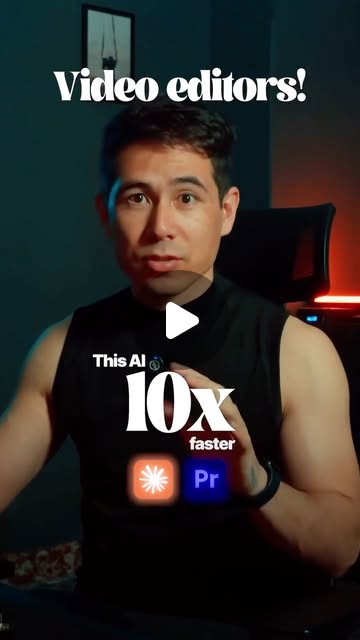
Edit videos for YouTube, TikTok, Instagram, Linkedin, and more, 10x faster.
Stop spending hours removing bad takes, silences, and repeats. Let Claude AI build your first rough cut directly inside Premiere Pro.
Built for spoken-word footage such as talking-head videos, podcasts, tutorials and vlogs. Requires Adobe Premiere Pro on desktop (Windows or macOS).
For creators getting started with the essentials
No access to Creator Mode AI editing.
For creators testing AI editing
Billed annually ($95.88/yr).
For creators publishing every week
First year billed at $176.34. Renews yearly at $287.88/yr unless canceled.
For serious creators and editors
Billed annually ($767.88/yr).
Billed today. Cancel anytime.
More room for high-volume production teams, with one subscription and no sales call required.
Billed annually ($1743.24/yr).
Start online now. Upgrade or manage your subscription from your account as your production needs change.
Every paid plan is based on usage. Upgrade when you need more AI editing time, more videos per month, or faster processing.
AutoEdit ROI Calculator
Drag the sliders to match your workflow. AutoEdit cuts the tedious part so you can ship more in a fraction of the time.
Honest expectation setting
AutoEdit will not make a perfect final video for you.
It might cut a sentence you would have kept.
It might miss a messy section.
It might choose a take you would not have picked yourself.
What it does deliver
What we can promise is that it gets you to a cleaner rough cut way faster than starting from a blank timeline.
Let AI handle the slow first pass, so you can focus entirely on making the edit actually good.Real editors
Watch Premiere Gal test Claude-powered editing inside a real Premiere Pro workflow.
Watch the full review
Simple terms
Start your free trial today. If it doesn't save you time, just cancel - no questions asked.
Everything you need to know about AutoEdit
Editable rough cuts in minutes
Free preset pack included after download. Trusted by 15,000+ editors.
