
Premiere Pro AI Editing Plugins for Rough Cuts
A straight Premiere Pro guide for editors who want to choose an AI plugin that automates editing existing footage inside Premiere Pro, with the actual plugin, timeline, and cuts explained in plain English.

Premiere Pro AI Editing Plugins for Rough Cuts
AI-assisted workflows inside Premiere ProMost people asking about premiere pro ai editing plugin are not looking for another chatbot. They want to know whether Claude can put real cuts on a Premiere Pro timeline.
The easiest way to think about it is this: Claude is the handyman and Premiere Pro has the tools. AutoEdit brings Claude into Premiere, so it can read the transcript, help with the rough cut, and leave you with a normal timeline you can keep editing.
September 2026 update: the free Premiere Pro plugin walkthrough below demonstrates current tools for effect search, image imports, silence cleanup, and editable first-pass workflows. Check each tool against the specific job in this guide.
Quick Answer
The best AI editing plugin for Premiere Pro depends on the footage being edited. For spoken creator content, AutoEdit Creator Mode combines transcript-led Claude editing with silence, captions, podcast, audio, and graphics workflows. Choose tools that modify an editable timeline and measure correction time, not tools that only generate new video.
What counts as a Premiere Pro AI editing plugin?
A Premiere Pro AI editing plugin should work with the footage you already shot and help make the cut. Generative-video apps make new clips; that is different from removing bad takes, making selects, cutting a podcast, or building a rough draft on your Premiere timeline.
Which AI editing plugin categories should you compare?
- Transcript and talking-head rough cuts
- Podcast silence and camera automation
- Music-video beat and performance workflows
- Event-recap selects and first assemblies
- Captions, audio cleanup, and repetitive timeline utilities
When is AutoEdit Creator Mode the strongest fit?
Creator Mode fits editors working with YouTube videos, tutorials, UGC, interviews, and podcasts where spoken content drives the structure. Its value is the combination of transcript reasoning and adjacent creator tools inside Premiere Pro.
How should you compare AI editing plugins?
- Does it work in your Premiere Pro version?
- Is it made for the footage you actually edit?
- Does it put a normal editable sequence on the timeline?
- Can you see and change what it cut?
- How much cleanup is left after it runs?
- What is included in the current plan?
What should you avoid in an AI editing plugin?
Do not buy something just because it says “AI video.” Look for a real Premiere Pro timeline, an actual rough cut, and a clear way to put shots back or change the edit.
Which plugin should a creator test first?
If you edit talking-head videos, tutorials, interviews, or podcasts, test Creator Mode on a duplicate of one real sequence. If you edit music videos or event recaps, use the AutoEdit mode made for those clips instead.
Tips
- Work on a duplicate sequence.
- Ask for one clear edit at a time.
- Watch the cut and count how much you actually have to fix.
Common mistakes
- Treating the rough draft like a finished edit.
- Using transcript tools on clips that need visual selects.
- Exporting without watching every automatic cut.
Try the workflow
Free tools for this article
Use the most relevant free tool for the task, then continue with the rest of your edit.
 Free Podcast Name GeneratorGenerate podcast-name directions that fit the topic, host, and audience.Free Podcast Show Notes GeneratorTurn a podcast transcript into structured show notes, takeaways, and chapter ideas.
Video walkthrough
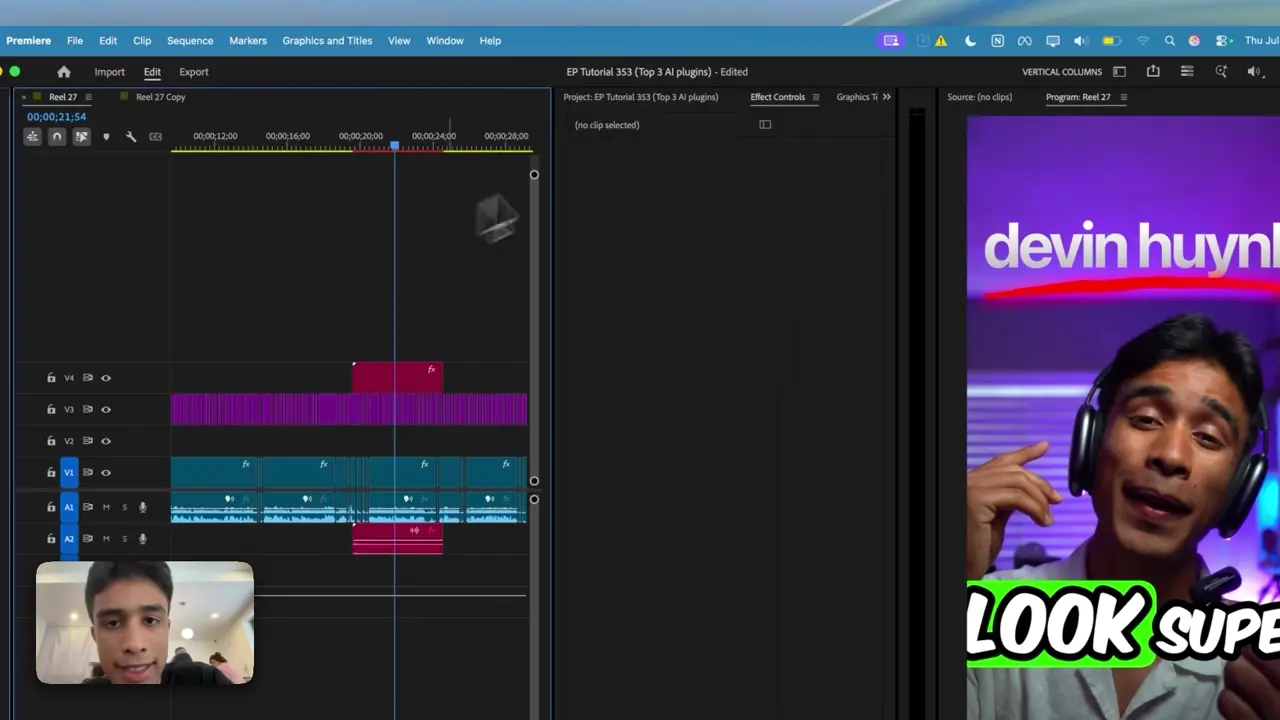
How to Use Claude AI to Automatically Edit in Premiere Pro
6 Free Premiere Pro Plugins That Actually Save You Time
Continue in Premiere Pro
Explore AutoEdit Creator Mode
Build an editable starting point, then keep creative control of the timeline.
Explore AutoEdit Creator ModeFrequently asked questions
What is the best AI editing plugin for Premiere Pro?
The best plugin matches the footage type. AutoEdit Creator Mode is designed for spoken creator and podcast workflows inside Premiere Pro.
Is an AI editing plugin the same as a generative video tool?
No. Editing plugins work with existing footage and timelines; generative tools create or transform media.
Should AI plugin output remain editable?
Yes. Editable output lets the editor audit cuts, restore material, and complete normal post-production.
Does Premiere Pro already have AI features?
Yes. Adobe provides native transcription and Text-Based Editing. Specialized plugins can add workflows around specific footage and repetitive tasks.
How do I compare plugin speed?
Measure preparation, generation, correction, and final review. Generation time alone can hide expensive cleanup.
Sources and verification
External product claims were checked against these first-party sources.
How to Use Claude AI to Automatically Edit in Premiere Pro demonstrates Claude-powered editing inside a working Premiere Pro project.
AutoEdit Creator Mode provides the current Creator Mode download and product details.
Adobe Premiere Pro Text-Based Editing documents Adobe’s native transcript-based editing features.