Image Paster
Copy an image, open Image Paster, and choose Add at Playhead. Skip saving, finding, and importing the same image.

Paste images, cut dead air, pull B-roll selects, add sound effects and music, resize social cuts, and browse 100+ free caption preset templates inside the AutoEdit Premiere Pro plugin. No credit card required.

Copy an image, open Image Paster, and choose Add at Playhead. Skip saving, finding, and importing the same image.
Cut long pauses and dead air from talking footage before you do the final creative pass.
B-roll Selector trims your clips to their usable middle or keeps only the steady parts, on a new sequence. My B-roll Library saves reusable clips and overlays for one-click reuse.
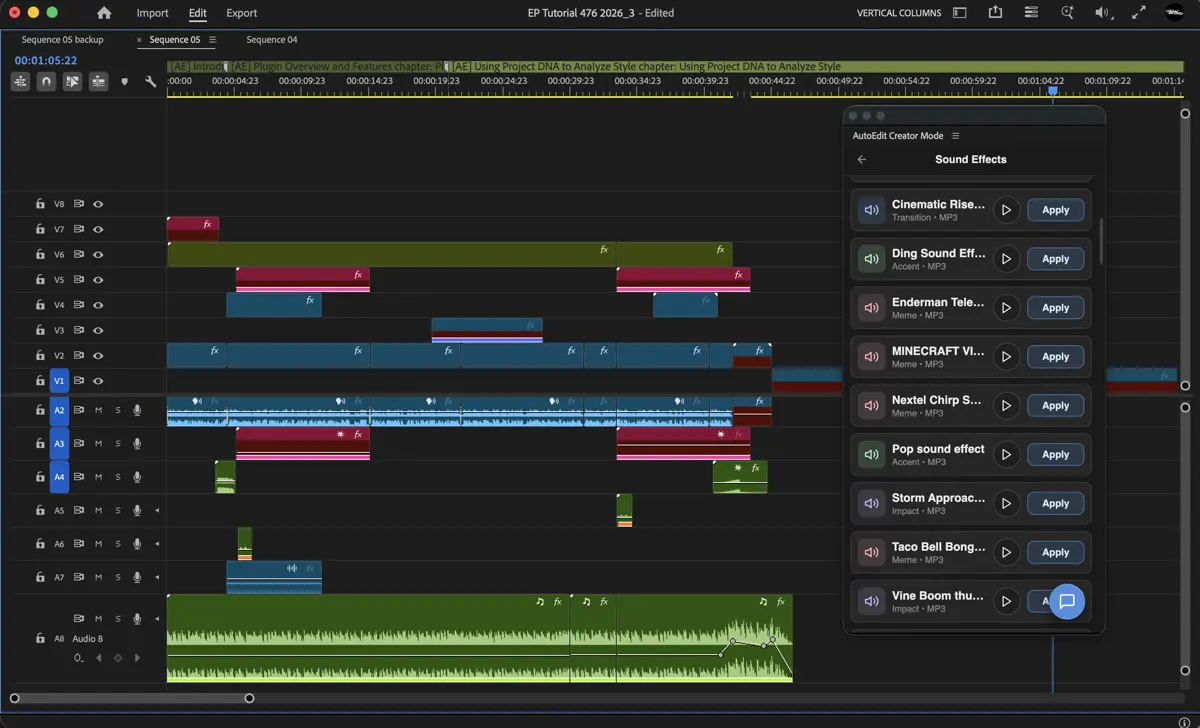
Use the built-in sounds or import your own sounds or a whole folder, then apply them at the playhead.
90+ free caption presets and MOGRTs. Click to apply a template, then adjust text, font, color, and position inside Premiere Pro.
Resize creator footage for short-form formats and keep working inside Premiere Pro.
Browse built-in royalty-free tracks by mood (Upbeat, Chill, Cinematic, Corporate), import your own tracks, and add them to the timeline.
Free Forever caption templates
The same vertical footage, first as the raw cut and then with animated captions, graphics, and creator-ready treatments applied.
Download the plugin, run the installer, and restart Premiere Pro. Open Window → Extensions → AutoEdit Creator Mode, then open Free Forever Tools. Choose the tool you need for your next edit.
Find a sound in the Sound Effects tab and add it to your edit without leaving your timeline.
Start with motion graphics at 1:30, Silence Cutter at 6:58, Image Paster at 8:37, the Library walkthrough at 9:28 (now split into B-roll Library, Sound Effects and Music Library), and AI Resizer at 10:18.
Open Silence Cutter, adjust how much silence to remove, and let it detect the pauses. Apply the cuts and close the gaps, then review the pacing before your sound and graphics pass.

“Compared to manually text editing in Premiere and hunting through raw footage, this has saved me a ridiculous amount of time.”
 Verified by


"Compared to manually text editing in Premiere and hunting through raw footage, this has saved me a ridiculous amount of time."

"It’s surprising how good it is. Like it’s actually like one of the best auto edit plugin I have ever tried. I have tried like four others before and this is the best one."

"We have deadlines and lots of editing projects all the time, so even saving 30 minutes here or there will definitely help."

"It can not only empower you to create better and faster, it’s going to allow you to create easier too, and handle more clients, handle more projects."

"If you’re editing podcast, it’s gonna be insane game-changer."

"Okay, so the fact that this was made in like under five minutes, that is crazy."

"cooked with this forreal. This plugin truly made my edits magic... Such a lifechanging plugin that I never knew I needed!"

"Your plugins deadass helped me graduate media college. Your tutorial about color grading quite literally changed my whole game."